NOTE! - Plex's interface varies by device! It is constantly being updated.
What you see may not match the images 100% but the overall idea should apply.
Reach out if you have any issues.
Step 1: Go to the three-dot menu of the inactive library. Left of the name:
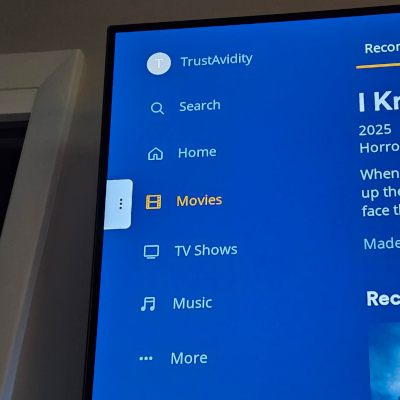
Step 2: Select Unpin to remove the inactive library:
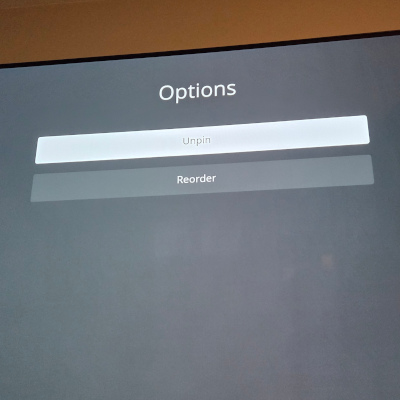
Step 3: Repeat steps 1-2 for any other inactive libraries.
Step 4: Go to the 'More' option:
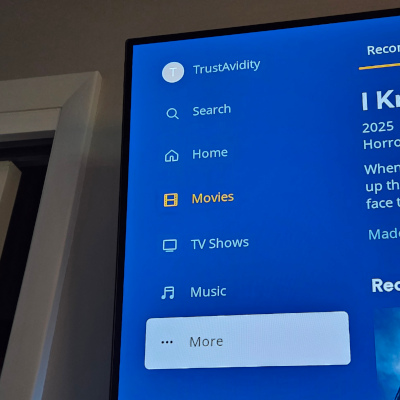
Step 5: Expand the active server and go to the side menu of the desired library to pin it:
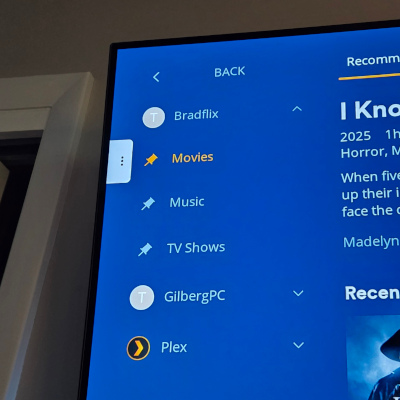
Step 5: Repeat step 5 for each desired library.
You should be good now. Reach out if you have any issues.